
Bookmarks, tasks, notes and tab groups
The + button on a column offers four types. They look alike on the board and behave very differently.
Bookmark
Section titled “Bookmark”A title and a URL. The card shows the site’s favicon, and clicking it opens the link: in the same tab by default, or in a new one if you turn on Preferences → Open links in new tab.
Clicks are counted, and feed the Most Visited and Recently Accessed widgets in Widgets view.
The Add Bookmark dialog can save you the typing: Or choose from an open tab fills the title and URL from a tab you already have open, and it warns you (but still lets you continue) if that URL is already on the board somewhere.
Group Bookmarks
Section titled “Group Bookmarks”Several URLs under one name and one of eight colors. Clicking the card opens every URL at once as a real Chrome tab group, named and colored to match.
Use current tabs in the dialog fills it from the window you are in. That is a decent way to park a research session and get it back later in one click.
A title, an optional body, and a checkbox. Tasks are the only type that can have:
- Due Date & Reminder: a date, and optionally a browser notification when it arrives. The card shows Overdue, Today or Tomorrow in color.
- Repeat: daily, weekly or monthly. Ticking off a repeating task that has a due date archives it and creates the next occurrence straight away.
- Track as habit: a daily tick with a streak instead of a one-off completion. See Stats and habits.
Repeat and habit are mutually exclusive: turning one on switches the other off, and the dialog grays out whichever one is unavailable.
Tasks with a due date are also the only thing that shows up in Calendar view.
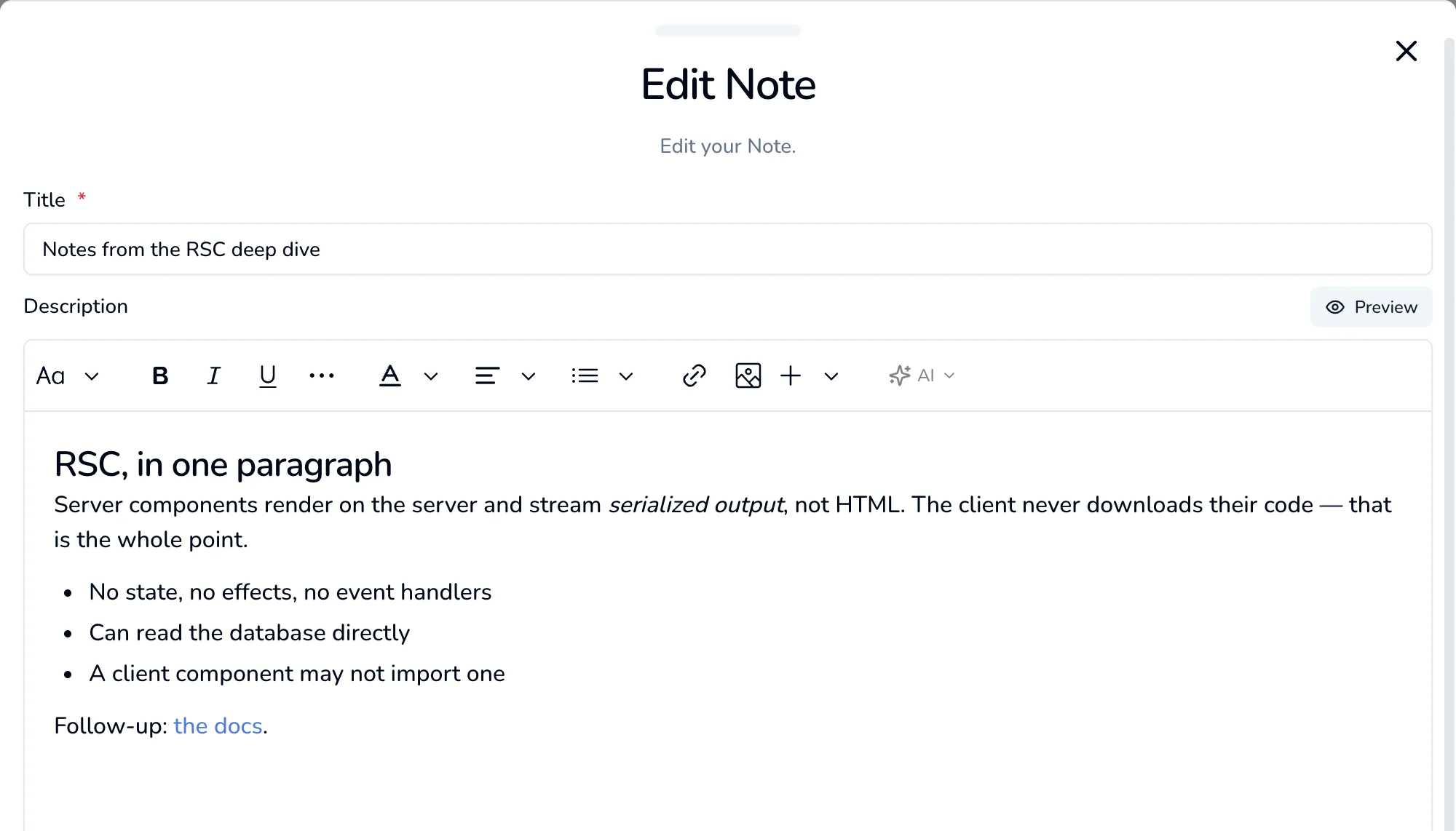
A title and a rich-text body with headings, bold, italic, colors, lists, alignment, links, images and tables, plus a slash menu and the AI actions if you have a key configured.
What every card can do
Section titled “What every card can do”Right-click any card, whatever its type:
- Pin to top: sticks it above everything else in its column, including above sorting.
- Tags: tick tags on and off. Only appears once you have made at least one tag.
- Archive: out of the way, still recoverable.
- Edit and Delete.