
Cloud sync
Sync lives under the gear → Cloud Sync, and there are two of them. Server Sync goes through your TabOasis account. Chrome Sync goes through your Google account. Both are Pro, and both are manual.
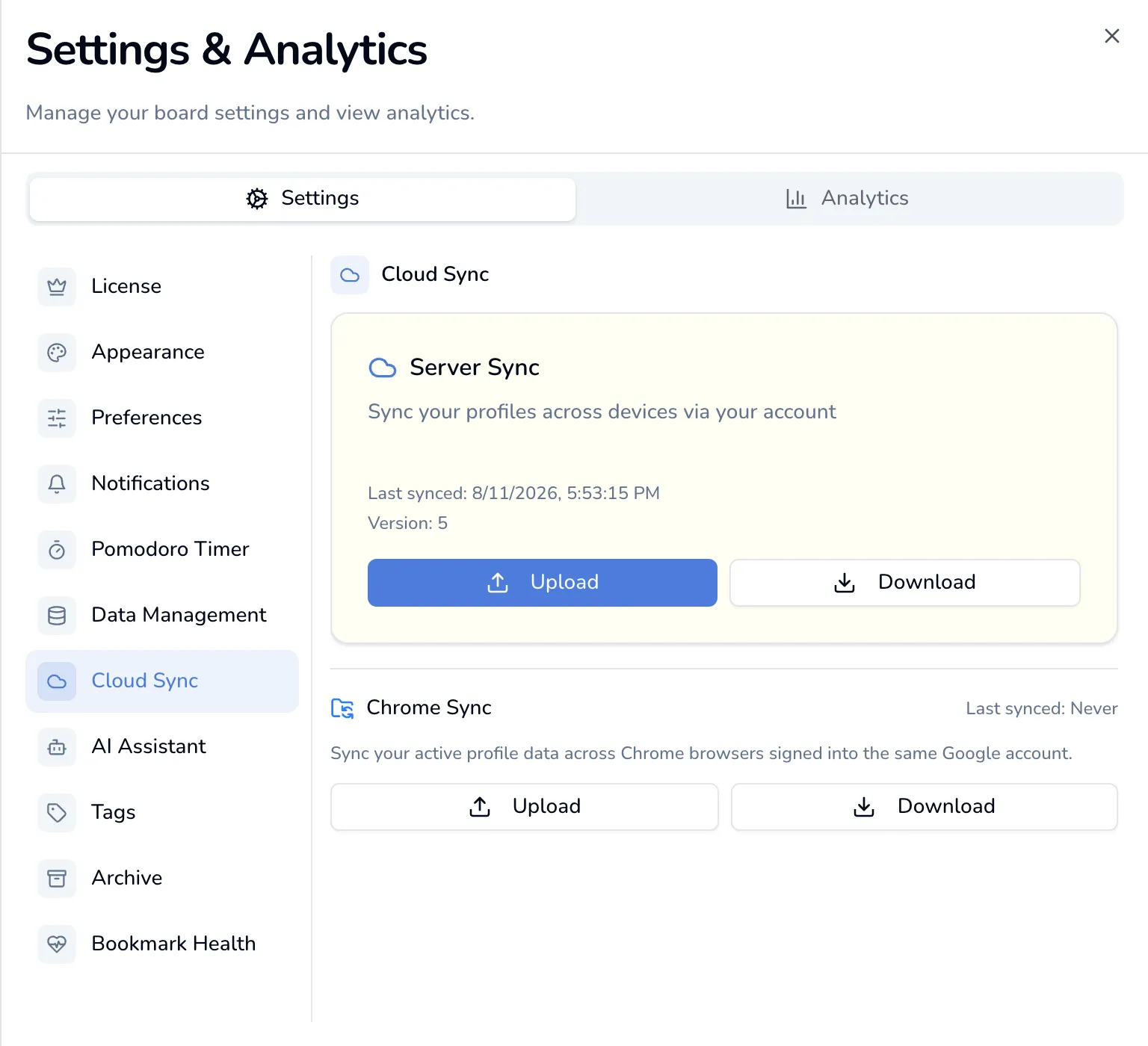
Without a license the pane explains what they do and offers Upgrade to Pro.
Server Sync
Section titled “Server Sync”The one marked Recommended. It uploads your whole library to your TabOasis account, so any browser you sign into can pull it down.
It is manual in both directions. Nothing syncs on a timer, on a change, or when you sign in. You press Upload; you press Download. Until you press Upload, the server has no copy of your board at all.
What goes up
Section titled “What goes up”One upload carries:
- every profile, with its columns, cards, folders, tags and avatars
- which profile was active
- all of Focus mode: sticky notes, session history, backgrounds, the playlist
- the settings that describe your board: view mode, color theme, font and your Pomodoro settings
Your API keys do not go up. They live elsewhere on the device and never go with it (see Where the key lives). Neither do the settings that describe the device rather than the board: language, Spotlight search on web pages, and the notifications master toggle with its per-category toggles. Those stay where you set them, so a laptop in Vietnamese and a desktop in English can share one board.
The whole thing is capped at 5 MB. A library that exceeds it is refused rather than truncated. When an upload or download is refused, the Cloud card says why inline (over the 5 MB limit, license lapsed, signed out, or nothing uploaded yet) instead of showing a generic Failed to upload.
Download replaces everything
Section titled “Download replaces everything”Download from Server asks you to confirm, because it does exactly what it says: This will replace all local data with server data. There is no merge and no per-item picking. If the local board has work the server has not seen, upload first.
Version, and the conflict dialog
Section titled “Version, and the conflict dialog”The pane shows Version: n, which goes up by one on every successful upload.
If another device has uploaded since your last sync, your upload is refused and you get Sync Conflict:
Your data was modified on another device since your last sync. Do you want to keep your local data or use the server version?
Two buttons:
- Use Server Version applies the server’s copy to this device immediately, replacing what is here. It has the same effect as a Download.
- Keep Local uploads nothing. The conflict clears and your next Upload is accepted, after one more confirmation. The toast says so: Kept local data. The next upload will replace the server copy — it will ask first.
Dismissing the conflict dialog without choosing just clears it. Again, nothing is uploaded.
The confirmation after Keep Local
Section titled “The confirmation after Keep Local”Press Upload once you have kept local and This replaces the board on your other devices comes up before anything leaves the machine. It counts what is about to go:
Uploading now discards the copy on the server — 412 items in 3 profiles, last changed 11/08/2026, 16:14:07. There is no undo.
A further sentence follows if that copy also holds your focus history and sticky notes, or your settings. If the server’s copy carries no date the last changed clause is left out, and if this build cannot read the copy at all the dialog says so rather than reporting it as empty.
Three ways out:
- Download the server copy first saves the copy you are about to discard as
a
taboasis-server-copy-<date>.jsonfile, which you can keep or feed back through Import. - Replace it lets the upload go ahead. This is the destructive one.
- Cancel uploads nothing, and you are asked again next time.
Chrome Sync
Section titled “Chrome Sync”The second half of the pane. This one goes through Chrome’s own sync, so it moves between browsers signed into the same Google account.
It is much smaller in scope:
- The active profile only: its columns, cards, folders and tags. Other profiles are not carried, and neither are avatars.
- Focus data, with session history trimmed to the last 200 entries.
- Your Pomodoro settings.
Chrome Sync holds about 100 KB. A library that does not fit is refused with Data is too large for Chrome Sync (about 100KB limit). Use server sync instead. Again, it is never truncated. For a real library, Server Sync is the one that works.
In a browser that has no Chrome sync at all, the section reads Not available with the note Chrome Sync is only available in Chrome browser with sync enabled., and the buttons are gone.
What the success message promises
Section titled “What the success message promises”Sync to Chrome confirms with Written to Chrome sync, and the line beneath it adds a condition:
It travels only if Chrome sync is on for extensions — on this device and on the others.
The write is into Chrome’s own storage, and that is as far as TabOasis can see. Whether Chrome then carries it anywhere is a Chrome setting, on every machine involved: switched off on this one, nothing leaves it; switched off on the laptop you were expecting it to reach, nothing arrives there. The toast’s How to check button opens Google’s page on Chrome sync settings.
Sync and your license
Section titled “Sync and your license”Server Sync’s Upload and Download need an active license. Without one, both are refused.
The grace window is the same whichever way a subscription lapses: a renewal that is merely late and a failed payment both keep sync working until three days after the period you paid for ends. See Free vs Pro.
Seeing what the server is storing for you, and deleting it, need no license at all, so a lapse can never leave you holding data you cannot remove. See What we store and why.